AI Interview Preparation: Build Better Technical Interviews
On this page
- Build Your Technical Interview Questions Bank
- Organize with Categories, Tags, and Difficulty
- Use the AI Interview Question Generator
- Auto-Fill Individual Fields
- Build Structured Interview Templates with the Template Builder
- Build Templates Manually with Drag-and-Drop
- Generate Templates with AI
- Conduct Consistent Interviews with a Structured Interview Tool
- Score with Ratings and Notes
- Get AI-Generated Summaries
- Get Started Quickly with Seed Data
- Import Candidate CVs for Targeted Questions
- Start Building Better Interviews
Every hiring team has faced the same problem: one interviewer asks deep system design questions while another sticks to trivia. Candidates get inconsistent experiences, and comparing scores becomes guesswork. AI interview preparation changes this by helping you build structured, repeatable interview workflows — from question generation to post-interview summaries.
TL;DR: Use AI to generate interview questions, build templates, and produce post-interview summaries — so you spend less time on prep and more on evaluating candidates consistently.
Build Your Technical Interview Questions Bank
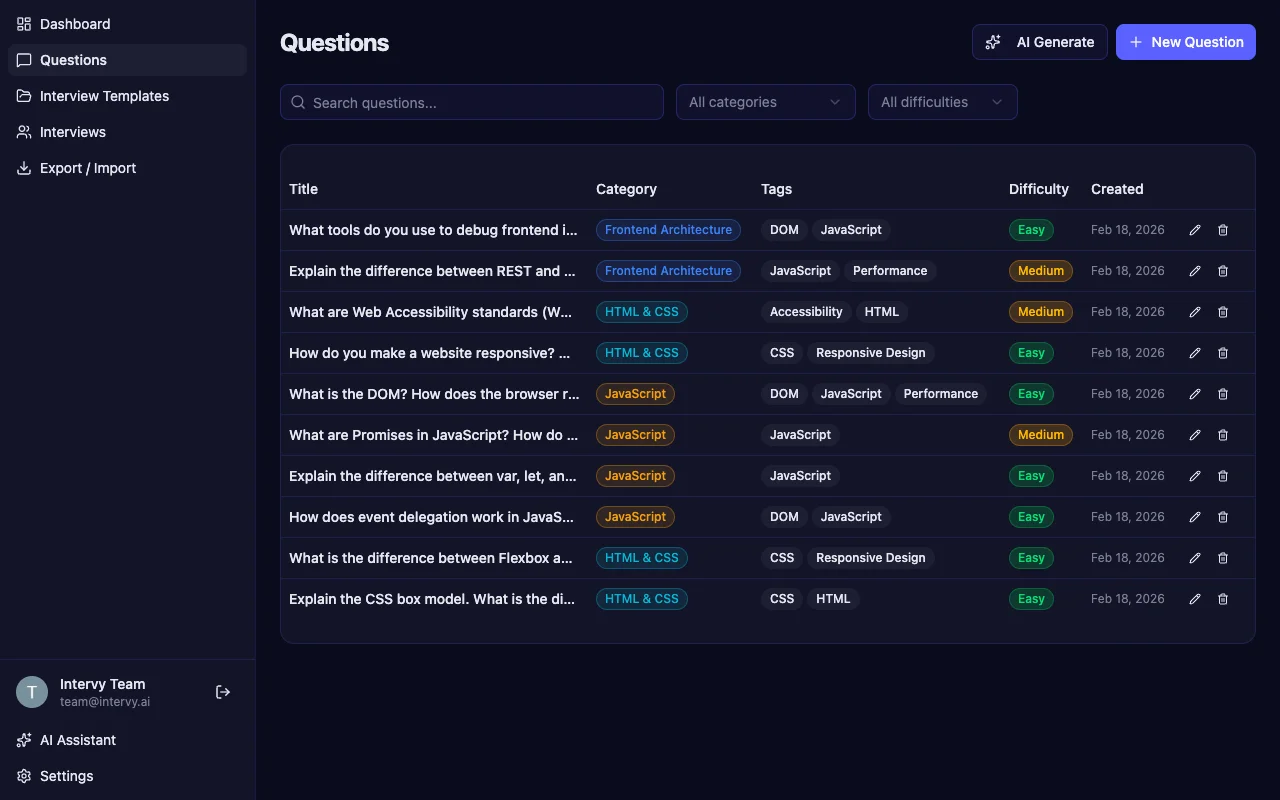
A strong interview starts with a strong question bank. Intervy gives you a centralized place to store, organize, and search your technical interview questions. Each question supports Markdown formatting with syntax-highlighted code blocks, so you can include real code snippets directly in the question content and reference answers.
Organize with Categories, Tags, and Difficulty
Every question in Intervy gets structured metadata. Assign a color-coded category (like "JavaScript", "HTML & CSS", or "Frontend Architecture"), add tags for cross-cutting concerns, and set a difficulty level — easy, medium, or hard. This metadata powers search and filtering, so you can quickly find the right questions when building templates.
Use the AI Interview Question Generator
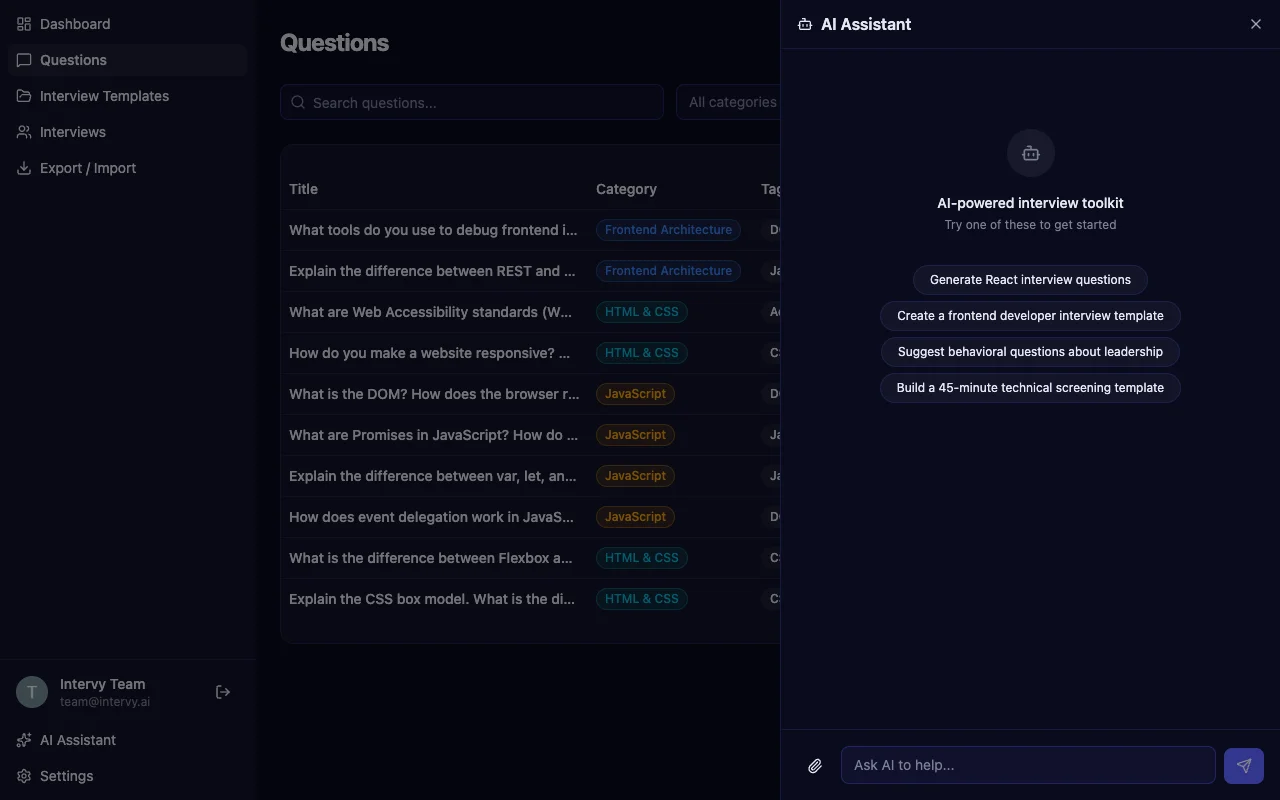
Instead of writing every question from scratch, describe what you need in natural language. Open the Ivy panel and type something like "Generate React interview questions" or "Suggest behavioral questions about leadership."
Intervy's AI interview question generator creates complete questions with titles, Markdown content, reference answers, category assignments, and difficulty levels — ready to add to your bank with one click.
Auto-Fill Individual Fields
Already drafting a question but stuck on the reference answer? Each field in the question editor — title, content, and answer — has its own AI generate button. Click it and the AI fills that specific field based on the context of your other fields.
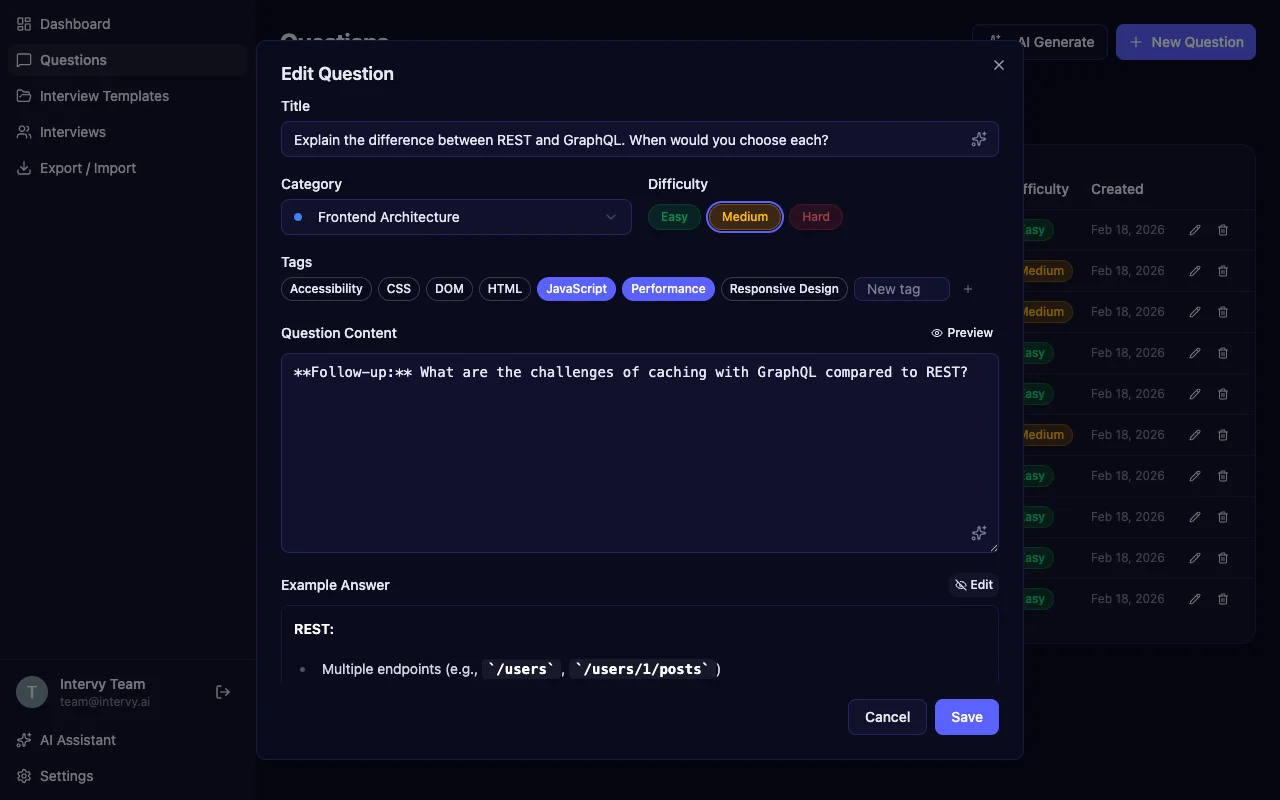
Tip: Start with the question title and content, then use the AI auto-fill for the reference answer. The AI writes better answers when it has your specific question context.
Build Structured Interview Templates with the Template Builder
Once your question bank is ready, organize questions into reusable interview templates. Templates define the order and selection of questions for a specific interview type — like a "Frontend Developer Screen" or a "System Design Deep Dive."
Build Templates Manually with Drag-and-Drop
The template builder uses a split-panel layout. Browse your question bank on one side, add questions to your template on the other, and reorder them with drag-and-drop. Filter questions by category or difficulty to narrow down your selection for each section of the interview.
Duplicate existing templates to create variations without starting from scratch. This is especially useful when you need separate templates for junior and senior candidates covering the same topics at different difficulty levels.
Generate Templates with AI
For faster setup, let AI build your template. Describe the interview you want — "Create a frontend developer interview template covering React, CSS, and accessibility" — and the AI generates a complete template with questions selected and ordered from your bank.
Conduct Consistent Interviews with a Structured Interview Tool
With your template ready, start a live interview session. Intervy's conducting interface puts everything you need in one place: the current question, a 1–5 star rating scale, a comments field, and optional reference answers in a resizable sidebar.
Score with Ratings and Notes
Rate each answer from 1 to 5 using the keyboard (just press the number key) and add comments that auto-save as you type. Navigate between questions with arrow keys, and toggle the reference answer panel with S.
The rating scale maps to clear hiring signals: 1 for Strong No through 5 for Strong Yes. Combined with your written comments, this gives every interviewer the same framework for evaluation.
Key takeaway: Keyboard-first navigation keeps you focused on the candidate instead of clicking through menus. Number keys for ratings, arrow keys for questions, S for reference answers.
Get AI-Generated Summaries
After finishing all questions, you can ask the AI to summarize the interview — it analyzes your ratings and comments to produce a structured summary of the candidate's performance. The post-interview review page then shows color-coded score cards, category averages, and the full Markdown summary.
Get Started Quickly with Seed Data
You don't need to build your question bank from zero. Intervy ships with pre-built seed data sets that you can load instantly from the Export / Import page. Select an interview set — like "Frontend Developer (32 questions)" — and click Load. Your question bank fills up with categorized, tagged, and difficulty-rated questions in seconds.
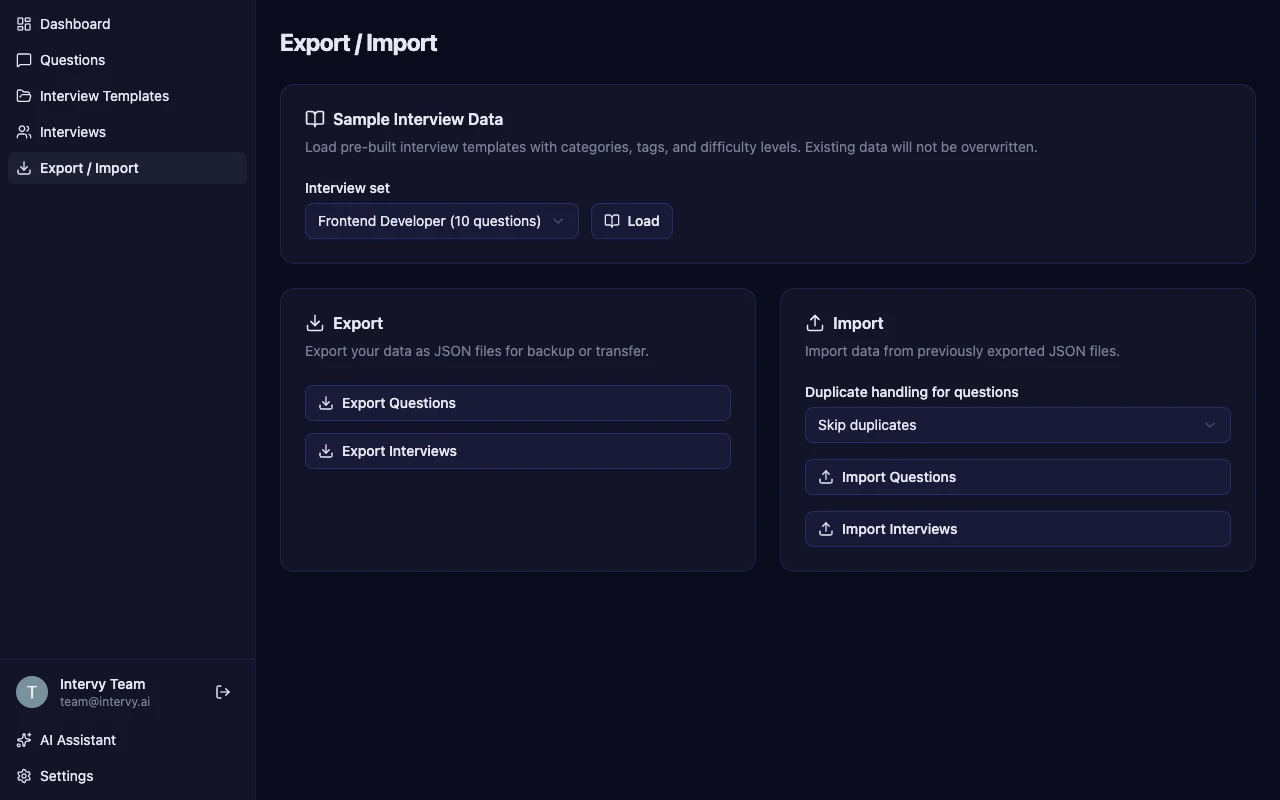
The Export / Import page also lets you export your questions and interviews as JSON files for backup or transfer between environments.
Import Candidate CVs for Targeted Questions
During an interview session, you can attach a candidate's CV (PDF, DOCX, TXT) via the paperclip icon in the AI chat. Intervy automatically anonymizes the document — removing names, companies, and dates — and generates targeted follow-up questions that probe specific claims from the candidate's experience.
Tip: Read our detailed guide on generating interview questions from a CV for the full workflow, including how CV questions integrate with your existing template.
Start Building Better Interviews
AI interview preparation doesn't replace your judgment — it gives hiring managers better tools to be consistent. Build a structured question bank, generate templates that match your hiring needs, and conduct interviews with a repeatable scoring system. Head to Intervy to get started, or check out our getting started guide for a walkthrough of the full workflow.