How to Generate Targeted Interview Questions from a CV
On this page
- Privacy-First CV Analysis for Interviews
- What Gets Removed vs. Preserved
- No Raw CV Stored
- Generate Interview Questions from a CV — Step by Step
- Upload the CV
- AI Generates Targeted Questions
- How CV Questions Complement Your Interview Template
- Smart Positioning in Your Interview Flow
- Source Tracking with CV Tags
- Tips for Getting the Best CV-Targeted Questions
- What Is Intervy?
- Start Generating Questions from CVs Today
Most interviewers ask the same generic questions regardless of who they're talking to. You spend hours reviewing a CV, spot interesting claims — "led migration to micro-frontends," "reduced bundle size by 62%" — but when the interview starts, you default to textbook questions that could apply to anyone. There's a better way to generate interview questions from a CV, and it takes seconds.
TL;DR: Upload a CV to Ivy, Intervy's AI assistant. It anonymizes the document, extracts technical substance, and generates targeted questions that probe specific resume claims — all without storing raw personal data.
Privacy-First CV Analysis for Interviews
Before generating any questions, Intervy processes the uploaded CV through an anonymization step. This isn't just a nice-to-have — it's a core design decision that keeps your hiring process GDPR-compliant.
What Gets Removed vs. Preserved
The anonymization engine strips all personally identifiable information: names, emails, phone numbers, company names, dates, and locations.
What stays is the technical substance — skills, project complexity, architecture patterns, domain expertise, and notable achievements.
Key takeaway: The AI generates questions based purely on what the candidate claims to have built and shipped, not on who they are or where they worked. The result is a factual, non-evaluative summary focused on verifiable technical claims.
No Raw CV Stored
Intervy never persists the raw CV text. Only the anonymized summary lives in the session context — the original document content is discarded after processing. This minimizes data exposure and aligns with the principle of data minimization. Each CV summarization costs 1 credit.
Generate Interview Questions from a CV — Step by Step
Here's the full workflow, from upload to questions-in-interview.
Upload the CV
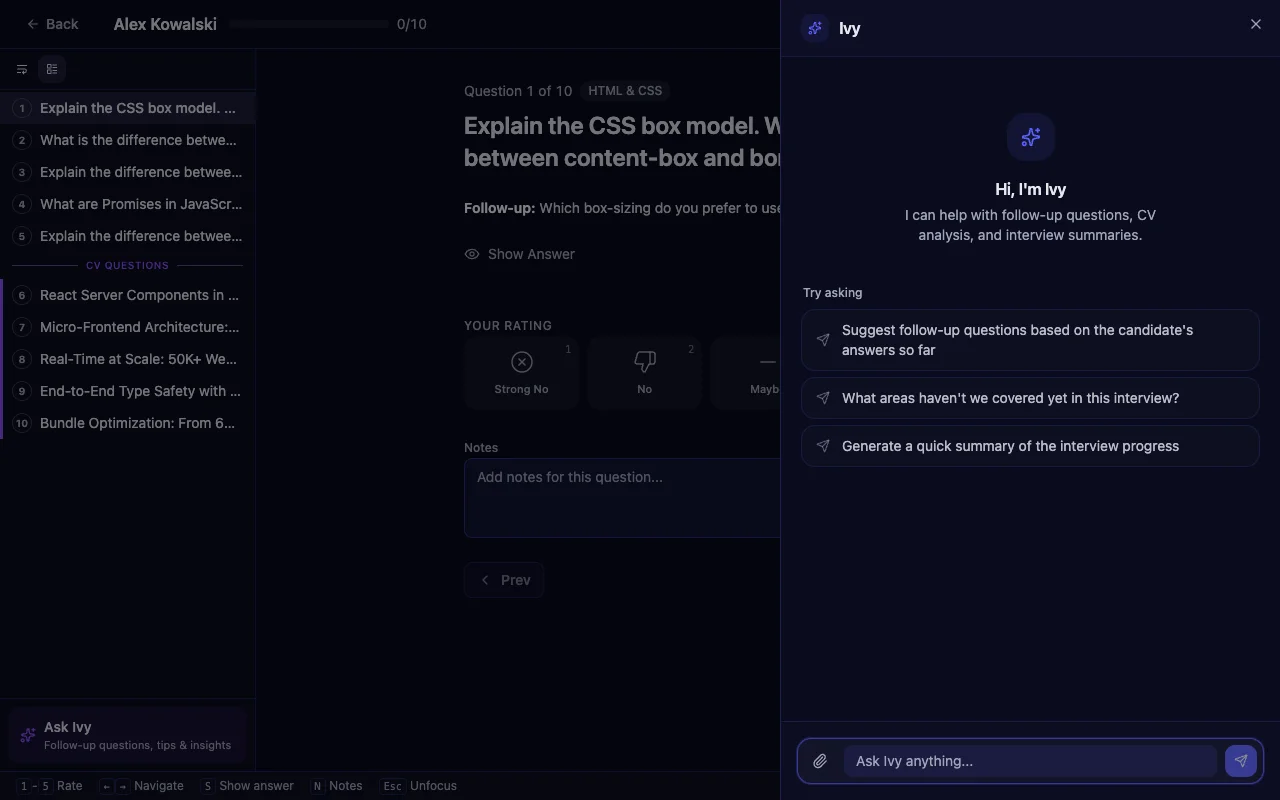
During a live interview session, open the Ivy chat panel and click the paperclip icon. Intervy supports PDF and DOCX formats. You'll see a privacy notice confirming that attached files are sent directly to the AI provider and not stored.
AI Generates Targeted Questions
After upload, ask Ivy to analyze the CV and generate questions. The AI produces 3–5 targeted follow-up questions that probe specific claims from the candidate's experience. Each question targets named projects, specific technologies, quantified achievements, or claimed expertise from the resume.
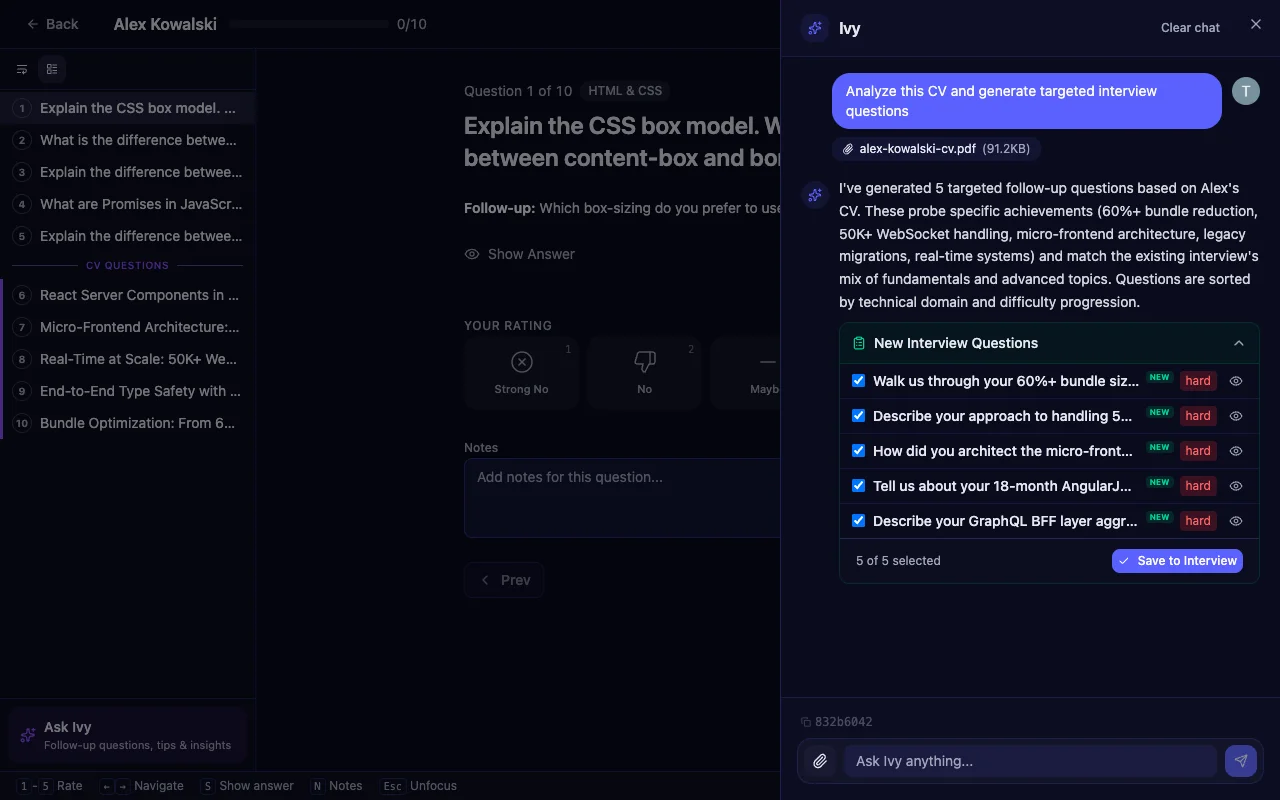
The questions appear as a checklist — select the ones you want and click "Save to Interview" to add them to your live session instantly.
Tip: Upload the CV and generate questions before the interview starts. This gives you time to review, reorder, and deselect any that overlap with your template.
How CV Questions Complement Your Interview Template
The real power of generating interview questions from a CV isn't just getting more questions — it's getting the right questions that fill gaps in your existing template.
Smart Positioning in Your Interview Flow
Ivy doesn't just append CV questions at the end. It uses smart positioning to place each question where it fits naturally. If a candidate's CV mentions WebSocket experience and your template covers networking in section 3, the CV question gets inserted nearby — maintaining a logical conversation arc.
Source Tracking with CV Tags
Every question generated from a CV gets tagged with source: "cv" so you always know where it came from. In the interview sidebar, CV questions appear in their own dedicated section with a purple accent, visually distinct from your template questions.
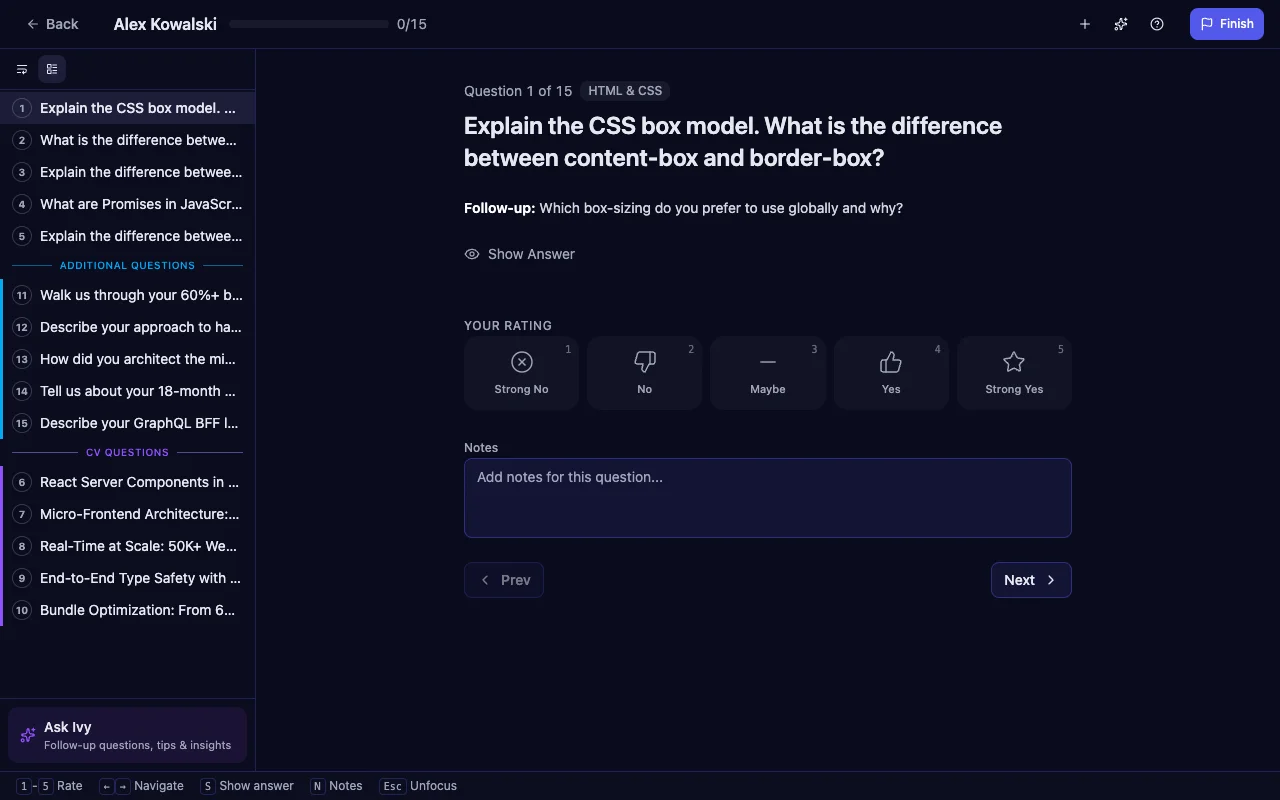
This makes it easy to distinguish between prepared template questions and ones generated from the candidate's background. During the interview, you can see at a glance which questions probe general knowledge versus specific CV claims.
Tips for Getting the Best CV-Targeted Questions
To get the most out of this candidate screening tool:
- Use detailed CVs. The more specific the resume — project names, tech stacks, metrics — the more targeted the questions. Candidates who list concrete achievements like "reduced API latency by 40%" give the AI much better material than vague summaries.
- Combine with a strong template. CV questions are complementary. They won't duplicate your existing interview questions.
- Review the anonymized summary. Use it as a quick reference during the interview without referring back to the original CV.
Tip: If the first batch of questions doesn't cover what you need, ask Ivy a follow-up like "generate questions about their migration experience" to get more focused results.
What Is Intervy?
Intervy is an interview preparation app for hiring managers that brings structure to technical interviews. Build a question bank, organize questions into reusable templates, and conduct interviews with a consistent scoring system — all in one place. Ivy, the AI assistant, helps at every stage: generating questions, building templates, analyzing CVs, and producing post-interview summaries.
Whether you're a solo hiring manager or part of a larger team, Intervy helps you run interviews that are fair, consistent, and actually probe what candidates claim they can do. Check out our complete guide to technical interview questions or learn more about AI-powered interview preparation.
Start Generating Questions from CVs Today
Stop asking the same generic questions to every candidate. Upload a CV, let Ivy generate targeted questions in seconds, and run interviews that actually test what candidates claim on their resumes. Head to Intervy to get started — your first interviews are free.