30 React Interview Questions for Every Experience Level
On this page
- Junior-Level React Interview Questions
- JavaScript Foundations
- React Core Concepts
- CSS for React Developers
- Mid-Level React Interview Questions
- Hooks Deep Dive
- TypeScript with React
- Forms and Data Fetching
- Senior-Level React Interview Questions
- Advanced Patterns
- Modern React Architecture
- Performance and Debugging
- Security
- State Management and Architecture
- How to Use These Questions in Interviews
- Start Building Your React Interview Question Bank
Running a React interview without a structured interview tool is like reviewing a pull request without reading the code — you'll miss what matters. Whether you're hiring a junior developer who just learned hooks or a senior architect who designs component systems, the questions you ask need to match the level you're assessing. This guide gives you 30 curated React interview questions organized by experience level, drawn from a bank of 51 real questions across 9 categories.
TL;DR: 30 React interview questions split across junior, mid, and senior levels — covering hooks, performance, architecture, security, and state management. Each question includes what to look for in the answer.
Junior-Level React Interview Questions
Junior candidates should demonstrate solid fundamentals — JavaScript core concepts, basic React patterns, and an understanding of how rendering works. These questions test whether someone can write working React code and explain why it works.
JavaScript Foundations
Strong React developers start with strong JavaScript. These questions reveal whether a candidate truly understands the language underneath the framework.
What is closure? Give a practical example in React context.
Closures are fundamental to how hooks work. A candidate who understands closures can explain the stale closure problem in useEffect — where a callback captures an outdated state value because the dependency array is empty. The fix (using a ref or adding the dependency) shows they understand both closures and React's rendering model.
Explain the Event Loop. What's the difference between microtasks and macrotasks?
This connects directly to React's batching behavior. Understanding that Promise.then runs as a microtask while setTimeout runs as a macrotask explains why state updates behave differently in async callbacks versus synchronous code.
React Core Concepts
What is the Virtual DOM? How does React reconciliation work?
The baseline React question. Candidates should explain that React creates a lightweight JavaScript representation of the DOM, diffs the old and new trees, and only applies the minimum changes. Follow up with Fiber architecture for candidates who show depth.
Explain React keys. Why is using array index as key problematic?
Index keys cause bugs when lists are reordered, filtered, or items have local state. The answer reveals whether someone has hit this bug in practice or just memorized the rule.
What are the rules of hooks? Why do they exist?
Two rules: only call hooks at the top level, only call in React functions. The reason — React identifies hooks by call order — separates candidates who understand the mechanism from those who just follow the linter.
CSS for React Developers
How do you center an element horizontally and vertically?
A practical warmup. Flexbox (display: flex; justify-content: center; align-items: center) is the standard answer, but grid (place-items: center) shows awareness of modern CSS.
What is the difference between z-index and stacking context?
This catches candidates who think z-index: 9999 solves all layering problems. Understanding that stacking contexts create isolated layer groups explains why a child element can't escape its parent's z-order — a common bug in modal and dropdown implementations.
Key takeaway: Junior questions should verify fundamentals, not trick candidates. If they can explain closures, the virtual DOM, and hooks rules with real examples, they have a solid foundation.
Mid-Level React Interview Questions
Mid-level candidates should demonstrate deeper understanding of hooks, TypeScript integration, data fetching patterns, and form handling. They should reason about trade-offs and explain when not to use a pattern.
Hooks Deep Dive
Explain useState. What is the functional update pattern and when do you need it?
The key insight: calling setCount(count + 1) twice in the same handler only increments once (stale closure), while setCount(prev => prev + 1) twice increments by two. This distinguishes candidates who've debugged real batching issues.
Explain useEffect cleanup. What are the common pitfalls?
Missing dependencies cause stale closures. Object dependencies cause infinite loops (new reference every render). A strong answer includes the fix: extract primitives for dependencies, or use useMemo for objects.
Explain useMemo and useCallback. When should you NOT use them?
This is a trap question in the best sense. Many candidates over-memoize everything. The best answer: don't memoize cheap calculations, don't wrap callbacks that aren't passed to memoized children, and always profile before optimizing.
What is useRef? List use cases beyond DOM access.
Beyond inputRef.current.focus(), refs store mutable values that persist across renders without triggering re-renders — previous values, timer IDs, latest callback references, and mounted/unmounted flags.
TypeScript with React
What is the difference between any and unknown?
any disables type checking entirely. unknown forces you to narrow the type before using it. In React, unknown is the right choice for API responses — pair it with a type guard function for safe data handling.
How do you type React components and their props?
Define a Props interface, destructure in the function signature. For generic components (like a <List<T>> that renders any item type), the candidate should show generic component syntax with keyExtractor and renderItem patterns.
Forms and Data Fetching
Explain controlled vs uncontrolled components. When would you use each?
Controlled components re-render on every keystroke and enable instant validation. Uncontrolled components use refs and are better for simple forms, file inputs, and performance-critical scenarios with many inputs.
Explain TanStack Query (React Query). Why use it over plain useEffect?
Plain useEffect data fetching requires managing loading, error, and data state manually — plus cancellation, caching, deduplication, and refetching. TanStack Query handles all of this declaratively. A mid-level candidate should explain at least caching and stale-while-revalidate.
How do you handle mutations with TanStack Query?
The useMutation hook with onMutate for optimistic updates, onError for rollback, and onSettled for refetching. This tests whether someone has built real CRUD interfaces with proper error recovery.
Tip: Don't just ask mid-level candidates what a hook does — ask them when they'd choose not to use it. That's where real understanding shows up.
Senior-Level React Interview Questions
Senior candidates should drive architectural decisions, evaluate trade-offs between patterns, diagnose performance problems, and understand the React ecosystem at depth. These questions have no single correct answer — the reasoning matters more than the conclusion.
Advanced Patterns
Explain the Compound Component pattern.
Components like <Tabs>, <Tabs.Tab>, and <Tabs.Panel> share state through context without prop drilling. A senior candidate should implement this from scratch, showing createContext, the provider wrapper, and the consumer components that throw if used outside the provider.
Explain Render Props pattern. When would you use it vs custom hooks?
Render props pass rendering logic as a function child. Custom hooks are cleaner for sharing stateful logic in modern codebases.
The key distinction: render props give explicit control over what renders and work in class components; hooks are invisible logic sharing for functional components.
Explain Error Boundaries. Why can't we use hooks for them?
Error boundaries require componentDidCatch and getDerivedStateFromError — lifecycle methods with no hook equivalent. A senior candidate should know what error boundaries don't catch (event handlers, async code, SSR) and how to combine them with Suspense for complete error handling.
Modern React Architecture
What are React Server Components? How do they differ from SSR?
Server Components render only on the server and ship zero client-side JavaScript. SSR renders to HTML on the server but still ships component code for hydration.
A senior candidate should explain when to use each: Server Components for data fetching, large dependencies, and sensitive data; Client Components for interactivity, state, and browser APIs.
Explain React Suspense. How does it work with data fetching?
Suspense declaratively handles loading states — a component "suspends" while data loads, and the nearest <Suspense> boundary shows the fallback. With useSuspenseQuery, there are no loading state checks in the component.
The senior-level insight: nested Suspense boundaries enable granular loading UIs and avoid loading waterfalls through parallel data fetching.
How do you implement lazy loading for components?
React.lazy() with dynamic imports creates separate chunks. Wrap in <Suspense> for the loading state and <ErrorBoundary> for load failures. The advanced technique: preload on hover with import('./Dashboard') to eliminate perceived latency.
Performance and Debugging
User reports the app is slow. How do you diagnose it?
A structured answer uses multiple tools: React DevTools Profiler for unnecessary re-renders, Chrome Performance tab for long tasks, Lighthouse for Core Web Vitals, bundle analyzer for large dependencies, and Network tab for slow API calls.
Key takeaway: The order matters. Senior candidates should triage methodically — profiling before optimizing, measuring before guessing.
How does React.memo work? When should and shouldn't you use it?
Shallow compares props and skips re-render if unchanged. The common trap: passing inline arrow functions or object literals defeats memoization because references change every render. The fix is useCallback for functions and useMemo for objects — but only when the component is actually expensive.
How do you optimize a list rendering 10,000 items?
Virtualization with @tanstack/react-virtual — only render items visible in the viewport plus a small overscan. Also important: memoized row components, stable keys, server-side pagination, and avoiding inline functions in props.
Security
How do you securely handle JWT tokens?
localStorage is vulnerable to XSS. The recommended patterns: HttpOnly cookies (not accessible to JavaScript) or in-memory storage with silent refresh via a refresh token in an HttpOnly cookie. A senior candidate should explain the Axios interceptor pattern for automatic token refresh on 401 responses.
What is XSS? How do you prevent it in React?
React escapes JSX by default, but dangerouslySetInnerHTML and href attributes with user input are attack vectors. Prevention: sanitize with DOMPurify, validate URLs against an allowlist of protocols, and set Content-Security-Policy headers.
State Management and Architecture
Compare state management solutions. What would you use for a large application?
There's no universal answer, and that's the point. The best response maps each solution to its use case: useState for local UI state, TanStack Query for server state, Zustand or Context for rarely-changing global state, and React Hook Form for complex forms. Redux makes sense when you need middleware and time-travel debugging.
How would you structure a large React application?
Feature-based architecture (not type-based). Each feature module contains its own components, hooks, API calls, and types, with a clear public API via index.ts. Shared code lives in a separate shared/ directory.
Tip: Ask senior candidates why feature-based structure scales better than
components/,hooks/,utils/directories. The answer reveals whether they've managed growing codebases or just read about it.
How to Use These Questions in Interviews
Knowing the right questions is only half the equation. The other half is organizing them into repeatable interviews with consistent evaluation criteria.
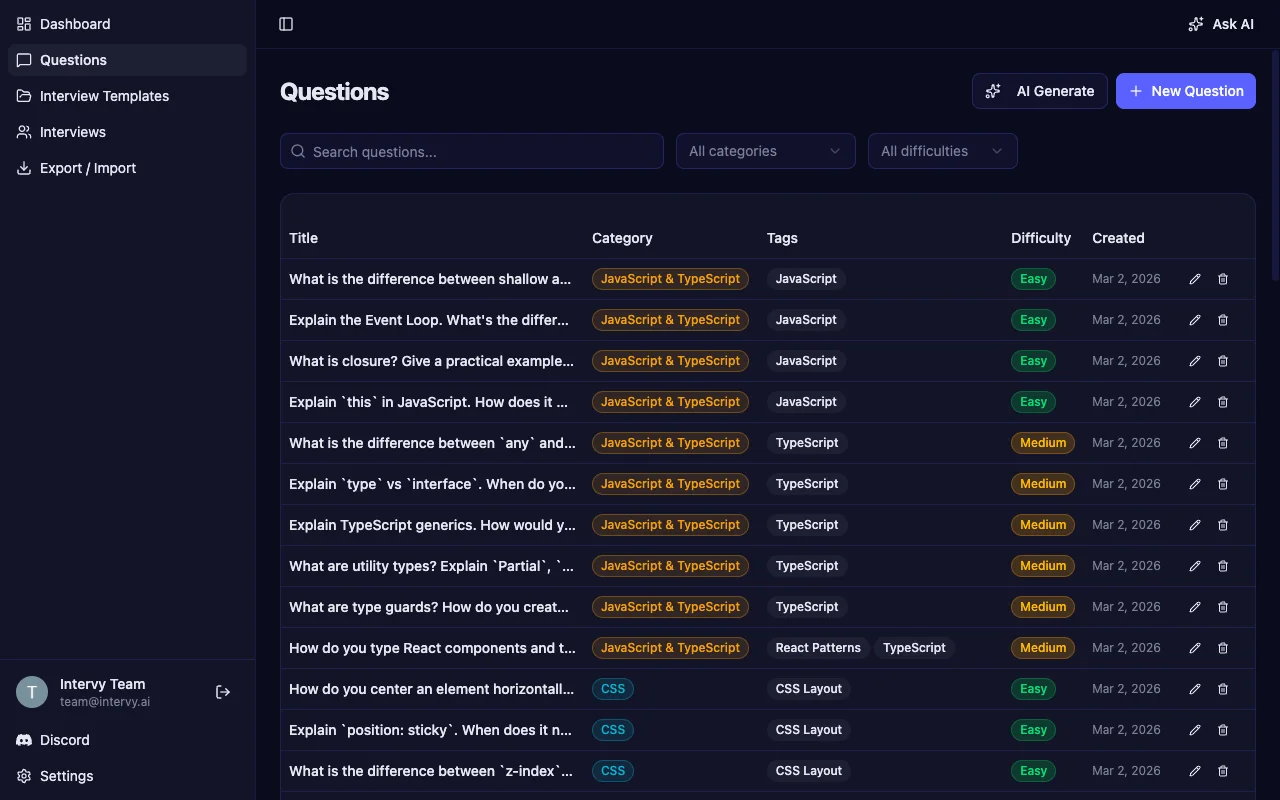
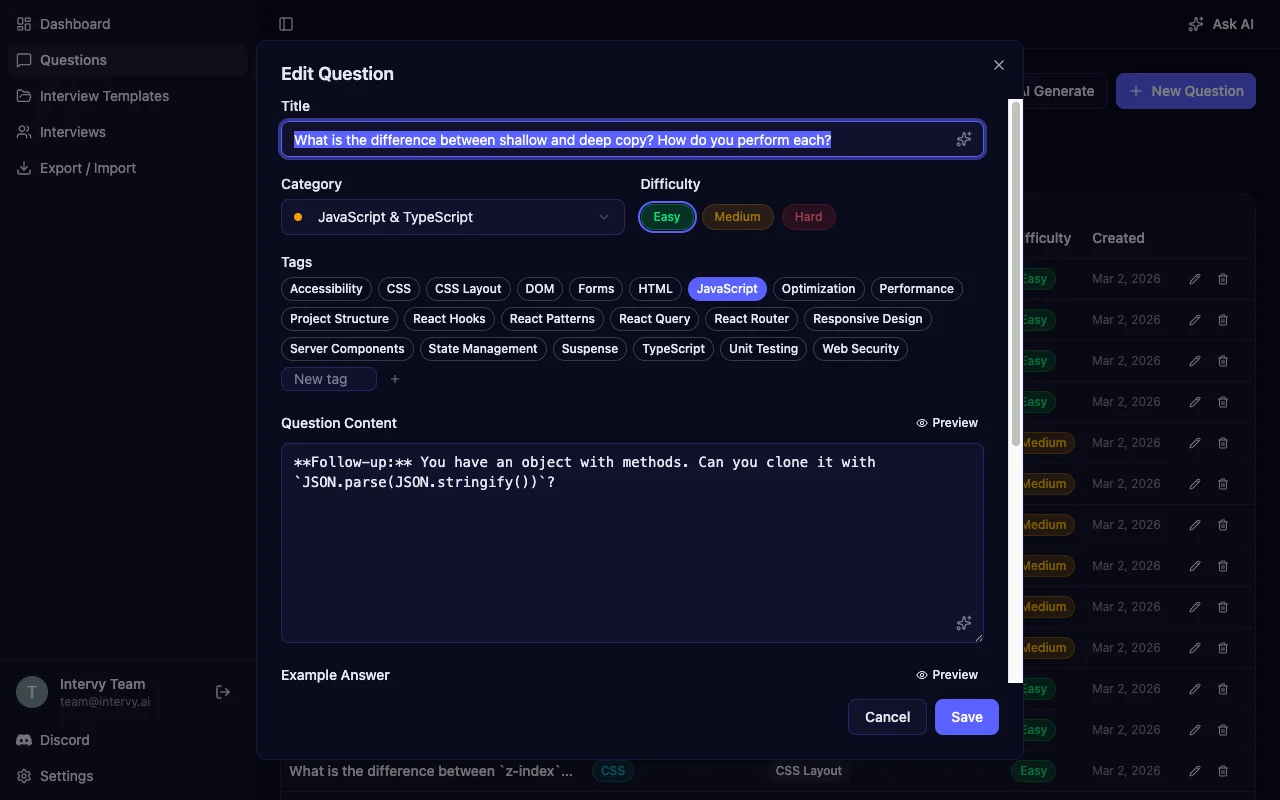
Intervy is a technical interview platform that ships with a pre-built Senior React Developer Interview template containing all 51 questions from this list and more, organized across 9 categories: JavaScript & TypeScript, CSS, React, Data Fetching & State, Routing, Performance, Security, Testing, and Architecture. Each question has structured metadata — a color-coded category, tags for cross-cutting concepts like "React Hooks" or "Optimization," and a difficulty level.
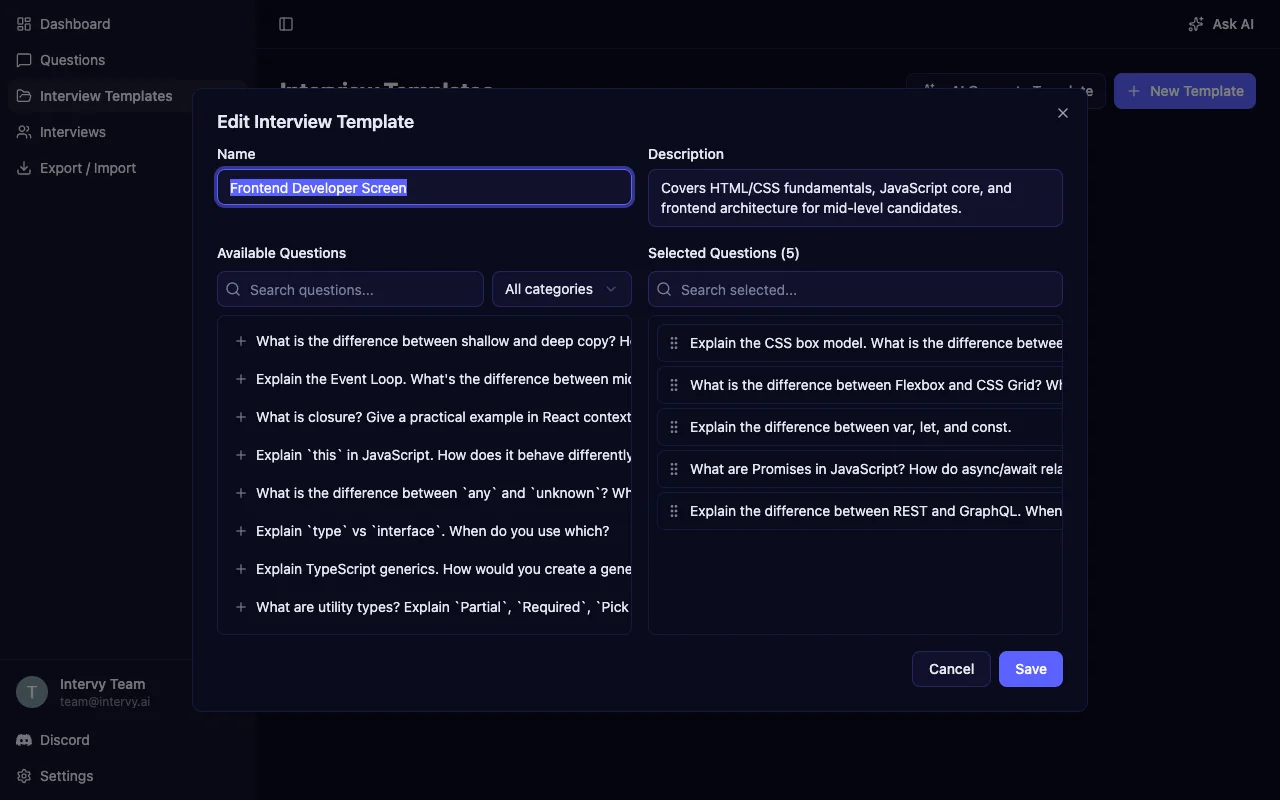
Build interview templates by selecting questions from your bank and reordering them with drag-and-drop. Create separate templates for junior, mid, and senior candidates covering the same topics at different difficulty levels. During the interview, rate each answer on a 1-5 scale and add comments — then use the AI-generated summary to compare candidates with structured data instead of gut feelings.
Start Building Your React Interview Question Bank
Structured React interview questions produce structured hiring decisions. Organize your questions by difficulty, back each one with a reference answer, and put them into templates with consistent scoring.
All 51 questions from this guide are available as a ready-to-import question set. Open the Import section in Intervy, select "Senior React Interview" from the dropdown, and click Load — your question bank is ready in seconds. Or read our complete guide to technical interview questions for a broader look at structuring interviews across all roles.